

Weekly Legislative Update Calls
The weekly Legislative Update Calls will continue through the end of the legislative session. Join us every Friday afternoon at 2:00 pm. Each week we will apprise you of the events in the Washington State Legislature and those on Capitol Hill in D.C. affecting you and your retirement security. Come join us this afternoon for a wrap-up on the 2026 Virtual Legislative Week (unless you’re scheduled to meet with your legislators at that time)!
The meeting link for that call can be found on the Council calendar at www.rpecwa.org. It is also provided here:
https://us02web.zoom.us/j/81948025087?pwd=PabX1DKJsnQHT5hsElvGqwfErwoaDt.1
Meeting ID: 819 4802 5087
Passcode: 700628
Dial by your location
253-205-0468 US
253-215-8782 US (Tacoma)
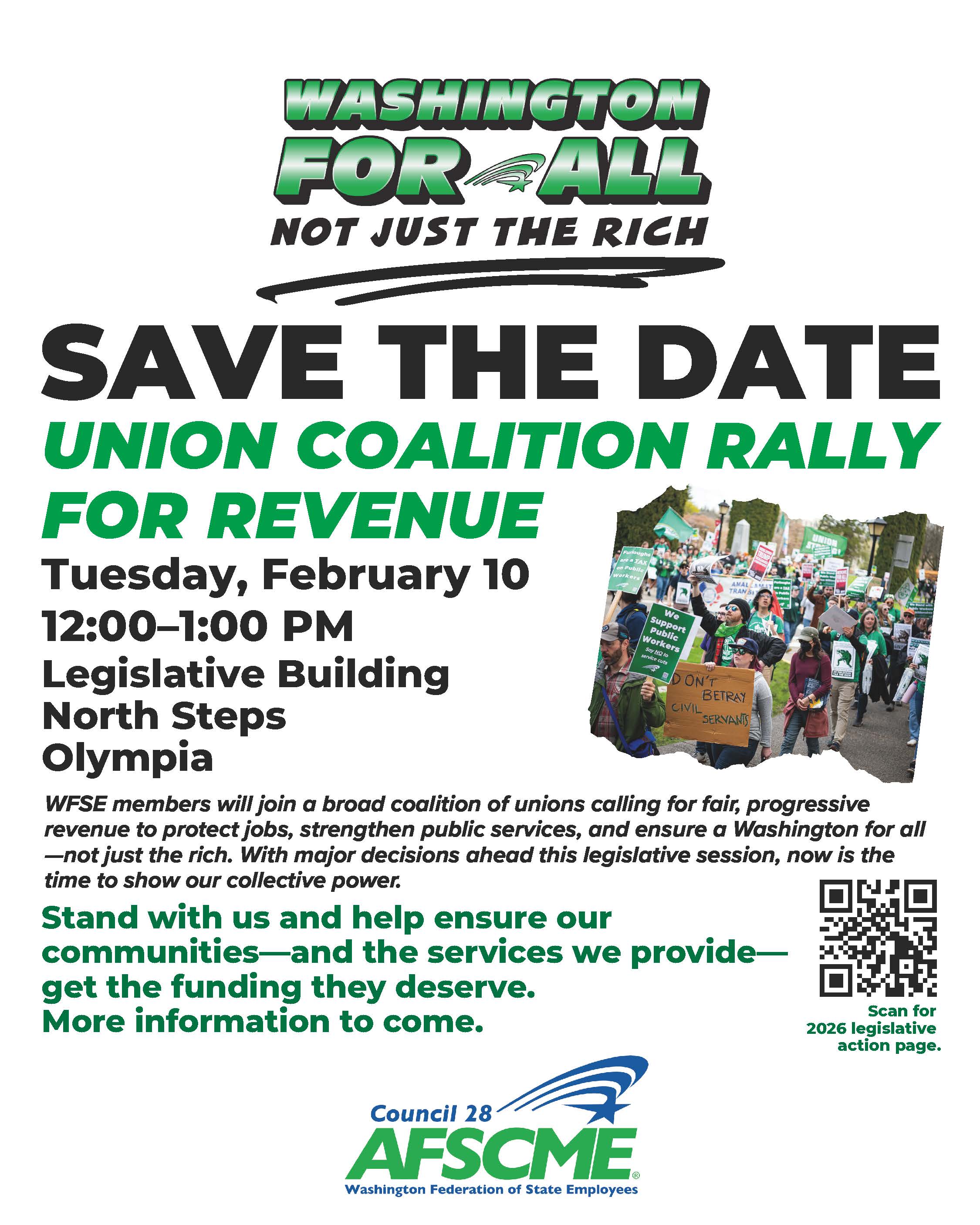
WFSE’s Rally for Revenue
WFSE members will join a broad coalition of unions calling for fair, progressive revenue to protect jobs, strengthen public services, and ensure a Washington for all—not just the rich.
RPEC is encouraging members in the area to join us in supporting our active working siblings at this rally. Wear your green RPEC shirts to signal solidarity with WFSE members.
Join us Tuesday, February 10, 2026, 12:00–1:00 PM, at the Legislative Building’s North Steps at the state capitol in Olympia. Look for the sea of green!
Accessing your 2025 1099-R form
From the Department of Retirement Systems
Looking for your 1099-R form for tax purposes? You can access it by signing in to your retirement account and then selecting the 1099-R link from the main menu. From there you can view or print a copy. Hard copies of the form will be mailed by the end of January.
For Plan 3 and DCP customers, starting Feb. 1, any 1099-R forms from your investment accounts will be sent separately. They will be mailed from State Street Bank and available through the record keeper website under “Tax Forms” in the “Statements and Documents” section. You can also access your investment account from your DRS online account by selecting either Plan 3 or DCP in your plan menu once you are logged in.
While you are logged into your account, be sure to add or update your mobile number for account security.
See the IRS 1099-R webpage for more information.
How to view your 1099-R
- From the DRS homepage, select the Member Login button in the top right.
- Log in to your online account.
- In the menu bar, select 1099R under your plan name.
- From here, you can view and print your 1099-R. You can also see forms from previous years.
Medicare Advantage Open Enrollment Period: January 1 – March 31, 2026
A gentle reminder for those currently enrolled in a Medicare Advantage (MA) plan to review your coverage during the Medicare Advantage Open Enrollment Period, which runs through March 31, 2026.
During this period, individuals enrolled in a Medicare Advantage plan may:
- Switch to another Medicare Advantage plan, with or without prescription drug coverage; or
- Return to Original Medicare and, if needed, enroll in a Medicare Prescription Drug Plan.
It’s good practice for all Medicare Advantage enrollees to review your coverage to ensure it meets your health and financial needs. This MA Open Enrollment Period is an opportunity to manage Medicare costs and make changes if you’re dissatisfied with your current plan.
Any changes made will take effect on the first day of the month after the new plan receives your enrollment request. Those returning to Original Medicare should note that they may not be able to purchase a Medicare Supplement Insurance (Medigap) policy.
Do you have health care coverage questions or concerns? Contact the Statewide Health Insurance Benefits Advisors (SHIBA) for assistance. Get free, unbiased Medicare help from the Washington SHIBA program. Call the Insurance Consumer Hotline at 800-562-6900 and ask to be connected with your local SHIBA office, or visit the SHIBA website here. Find Medicare counseling and events in your area here.
Also, here is a link to Medicare.gov’s Understanding Medicare Advantage Plans online booklet, available for download or printing – https://www.medicare.gov/publications/12026-understanding-medicare-advantage-plans.pdf
Be sure to visit our Healthcare Resources page for more information about Traditional Medicare and Medicare Advantage.
USPS Postmark Change
On December 24th, 2025, USPS put into place new procedures that changed the way dated postmarks make it onto your mailings in the future. The process in which the postmarks are placed onto our mail didn’t change. However, there is no guarantee that mail will be postmarked on the same day it is sent because the transportation of that mail to an automated facility could be “delayed” due to these new procedures. This poses an issue when it comes to mail that abides by strict deadlines! This includes tax returns, Medicare paperwork, and Social Security applications and forms. We have outlined here a few ways to ensure your mail is either postmarked with an appropriate date or guaranteed it will not be marked as late!
In person options
- Request a manual or local postmark. This is a free service that only requires going into a retail location and requesting it be stamped when you drop it off.
- Send by registered or certified mail. These methods provide receipts and tracking.
- For mail-in voting, plan to send your ballot in advance of Election Day or utilize hand delivery at election offices or drop boxes.
Online options
- Tax Returns – file electronically via IRS e-file or with another authorized tax software (TurboTax, H&R Block, etc.). They will provide instant confirmation that your return was received.
- Social Security applications and forms – Use the My Social Security platform to apply and digitally submit supporting documents for retirement benefits, family benefits, and Social Security Disability Insurance.
- Medicare – Follow the instructions listed here under basic information & next steps. There are three categories of steps with information on enrollment for all 4 types of Medicare coverage. Start with the basics, then use the guided steps for your specific situation.
Upcoming Events:
Please refer to our calendar page for more information about each event, including links to Zoom meetings, if available.
Jan. 30 – Legislative Update Call (2:00 pm)
Feb. 6 – Legislative Update Call (2:00 pm)
Feb. 9 – Senior Lobby (10:00 am)
Feb. 10 – Rally for Revenue (12:00 pm, Olympia)
Feb. 13 – Legislative Update Call (2:00 pm)
Feb. 16 – Council Office closed, President’s Day
Feb. 19 – Senior Lobby Day
Feb. 20 – Legislative Update Call (2:00 pm)
Feb. 23 – Executive Board meeting (10:00 am)
Feb. 27 – Legislative Committee meeting (10:00 am)
Feb. 27 – Legislative Update Call (2:00 pm)